
From download to your first walk
Getting from the download to a recorded walk takes a few minutes. The only thing likely to slow it down is your dog stopping for something on the way to the door.
Download and add your dog
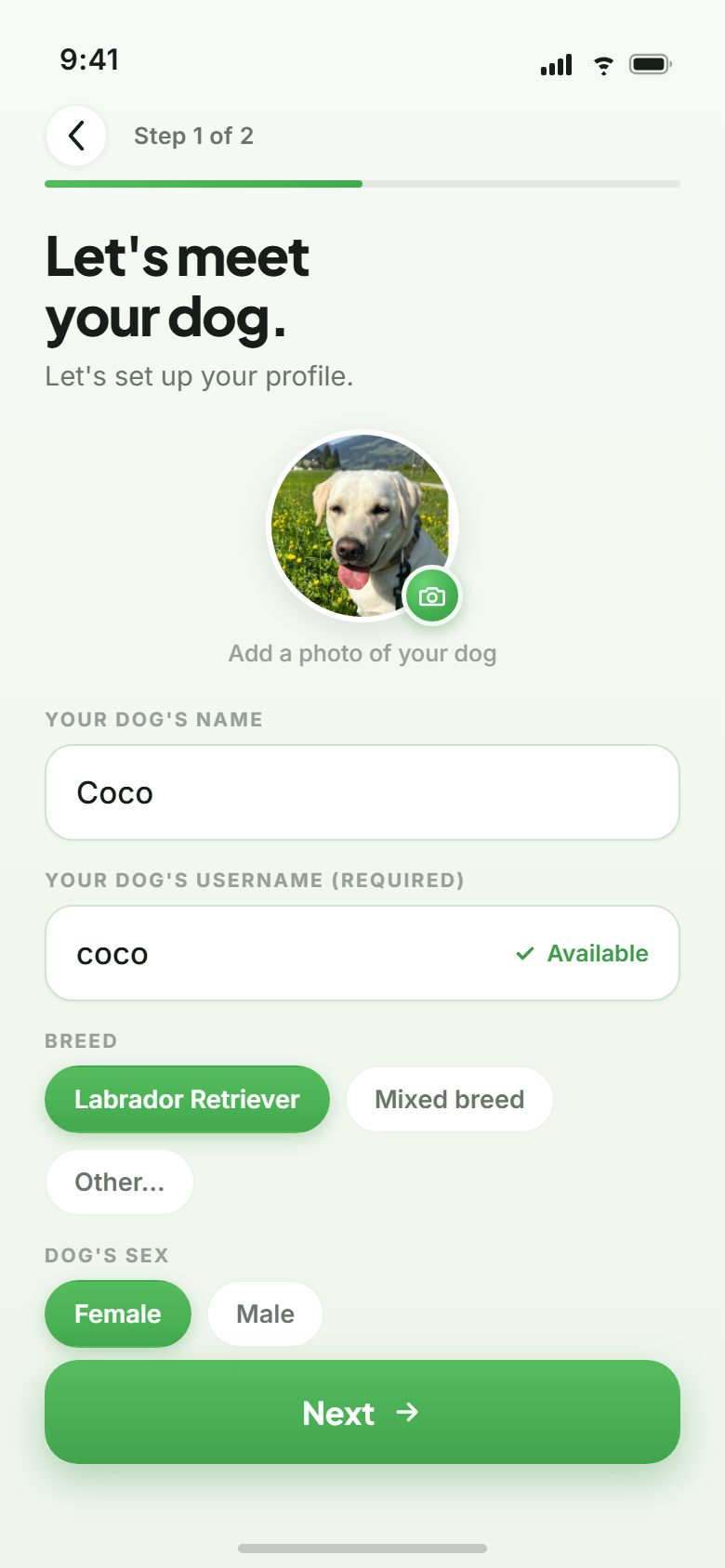
Barnaby runs on iOS and Android. Once your account exists you add your dog: a name, a breed, a photo. Setup ends there.
Where several of you walk the same dog, share the dog with a code or a QR. Every walk then counts towards the same profile, whoever is out with the lead.
Tap start
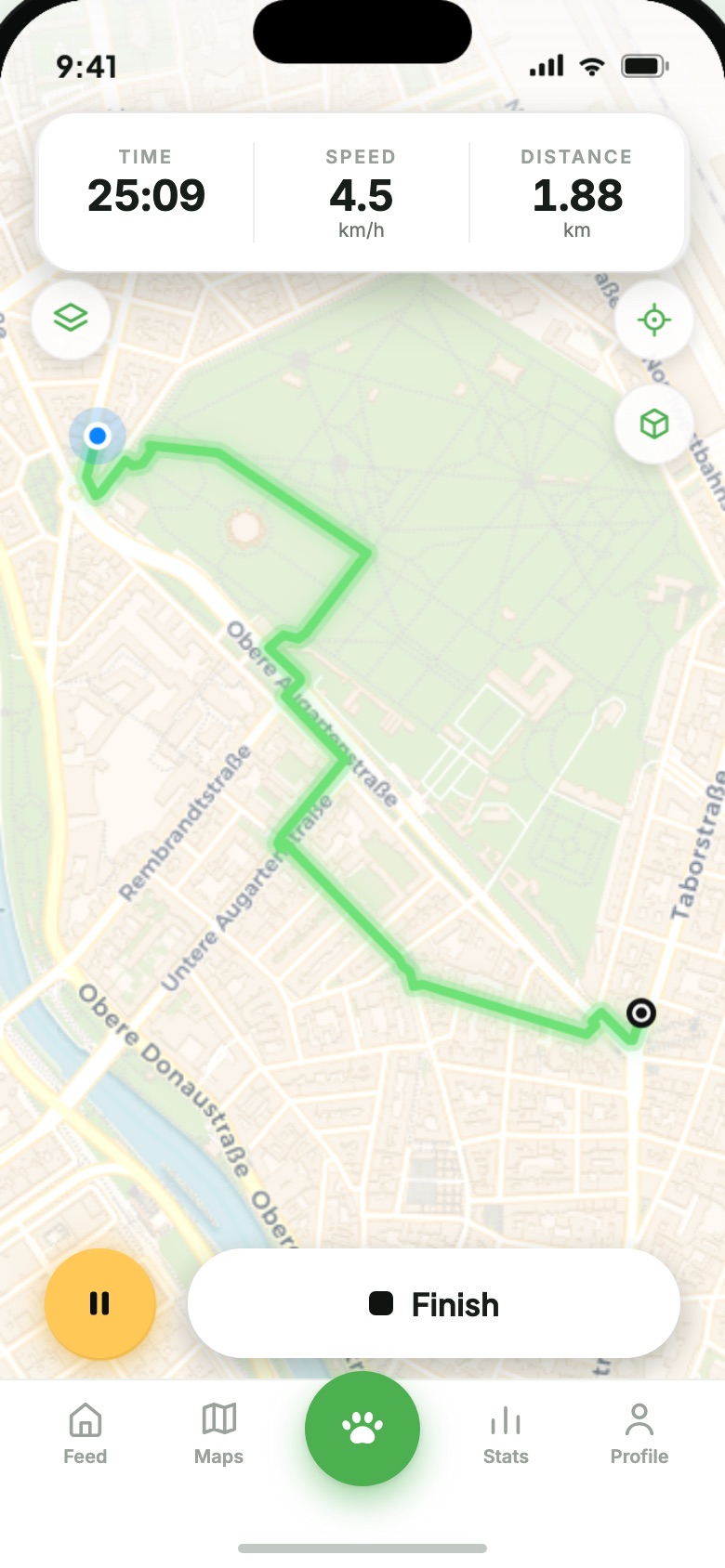
One tap and the recording is running, with your route building up on the map and distance and time underneath it. The phone can stay in your pocket throughout.
Stop somewhere and there is a pause button waiting. Ending the walk is a manual thing — Barnaby will not decide you are finished. The mechanics are under GPS tracking.
Share it, or don’t
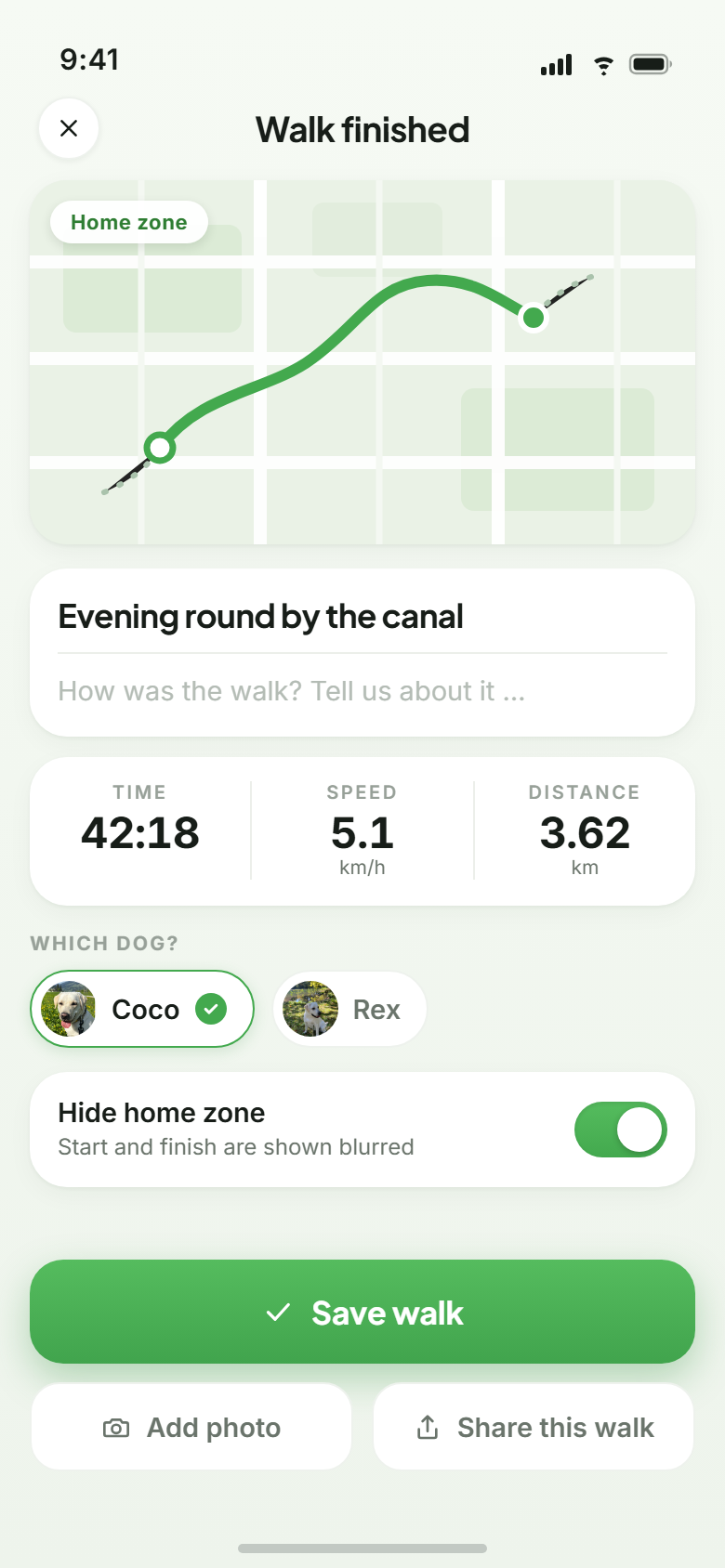
A summary closes the walk: route, distance, time, pace. Add a photo if the walk produced one. Then it is your call whether it goes into the feed or stays between the two of you.
Shared walks pick up likes and comments from the community. Walks you keep to yourself count towards your statistics exactly the same.
And after that?
After that most of it looks after itself. Kilometres accumulate, the weekly view fills in, and sooner or later you notice how often Tuesday evenings are missing. Everything else the app does is listed under features.